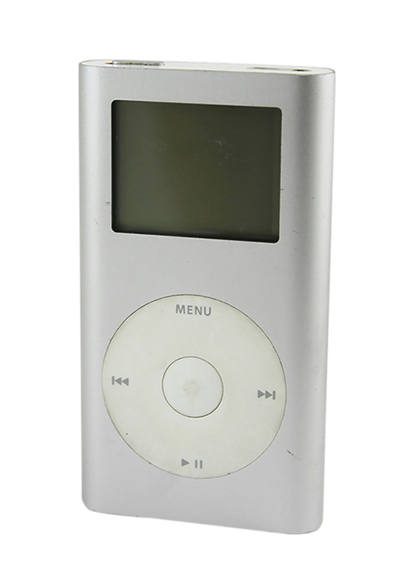
For years now, the iPod Mini has been your constant companion at the gym, supermarket, and on your way to work. You can count on it to brighten up a dull commute, motivate you on the treadmill, and entertain you whenever you are bored. But just like any other electronic device, you
r iPod Mini may malfunction at some point, whether due to wear and tear or an accident. Before visiting the Apple store to get your iPod Mini repaired, check out these simple troubleshooting tips that can help you diagnose the problem and maybe even fix it yourself.
How to Troubleshoot an iPod Mini
Before fixing your iPod Mini, first identify whether you are using a first or second-generation model. While the two versions look almost identical on the outside, the inner workings are different. When replacing certain parts like the display assembly or the battery, make sure you choose parts compatible with your specific model.
Resetting Your iPod Mini
Before panicking that there is something wrong with your iPod Mini's battery or logic board, do some basic troubleshooting. If your device has frozen up, sometimes a simple reset is all it takes to get your device back to normal.
To reset your iPod Mini, slide the Hold switch to the Hold position and then slide it back to the Off position. Press the Menu and the Select buttons simultaneously; hold them for 6 to 10 seconds until you see the Apple logo. If this does not work, check to see if you have a battery problem by connecting your device to an iPod Mini charger and plugging it into a power outlet.
Try resetting your iPod Mini again with it plugged in. If the device turns on, connect it to your computer's USB port and open iTunes. Connect to the Internet and see if you need to install a new software update.
If your iPod Mini still does not work and you keep getting a sad iPod face or a folder on the screen, you may want to consider restoring the device, which means erasing all the files on the disk. You should only do this if you have backed up all your files in your iTunes library.
Checking the Battery Life
If the battery life of your iPod Mini keeps getting shorter and shorter, your battery may be due for a replacement. You can test the battery life by playing a 3-minute song on repeat until the battery is fully depleted. Before doing this, make sure the device is fully charged. Next, make a note of when the iPod started playing and when it turns off. First generation iPod Mini batteries should allow 8 hours of continuous playback time, while the second generation Minis should play for 18 hours.
If the playback time is significantly less or if the iPod Mini does not even register when you plug it into a power outlet or a computer, you should change your battery. If the battery is functioning normally but you still prefer longer playback hours, consider buying a power bank, which is a portable battery charger that allows you to charge your iPod Mini any time.
Repairing the Logic Board
If the iPod Mini has a blank screen when you turn it on, determining whether the problem lies in the display screen or logic board is your first step. Hold the iPod next to your ear; if you hear the hard drive whirring smoothly, the display may be the issue. Also try to play a song using the click wheel if you know which buttons to press; if the song plays, this also points to a display problem rather than a logic board malfunction. However, if the iPod Mini is unable to play and does nothing when attached to your computer, then a logic board replacement may be in order.
Replacing the Click Wheel
Sometimes, the device does not work due to a faulty click wheel. If both the display and logic board work properly but the click wheel is not sending your instructions, you can replace it using a replacement click wheel kit.
Fixing Distorted Audio
Try the device with a different set of headphones or speakers. If the sound quality does not improve, you may need to replace a faulty audio-out jack board.

Aucun commentaire:
Enregistrer un commentaire